
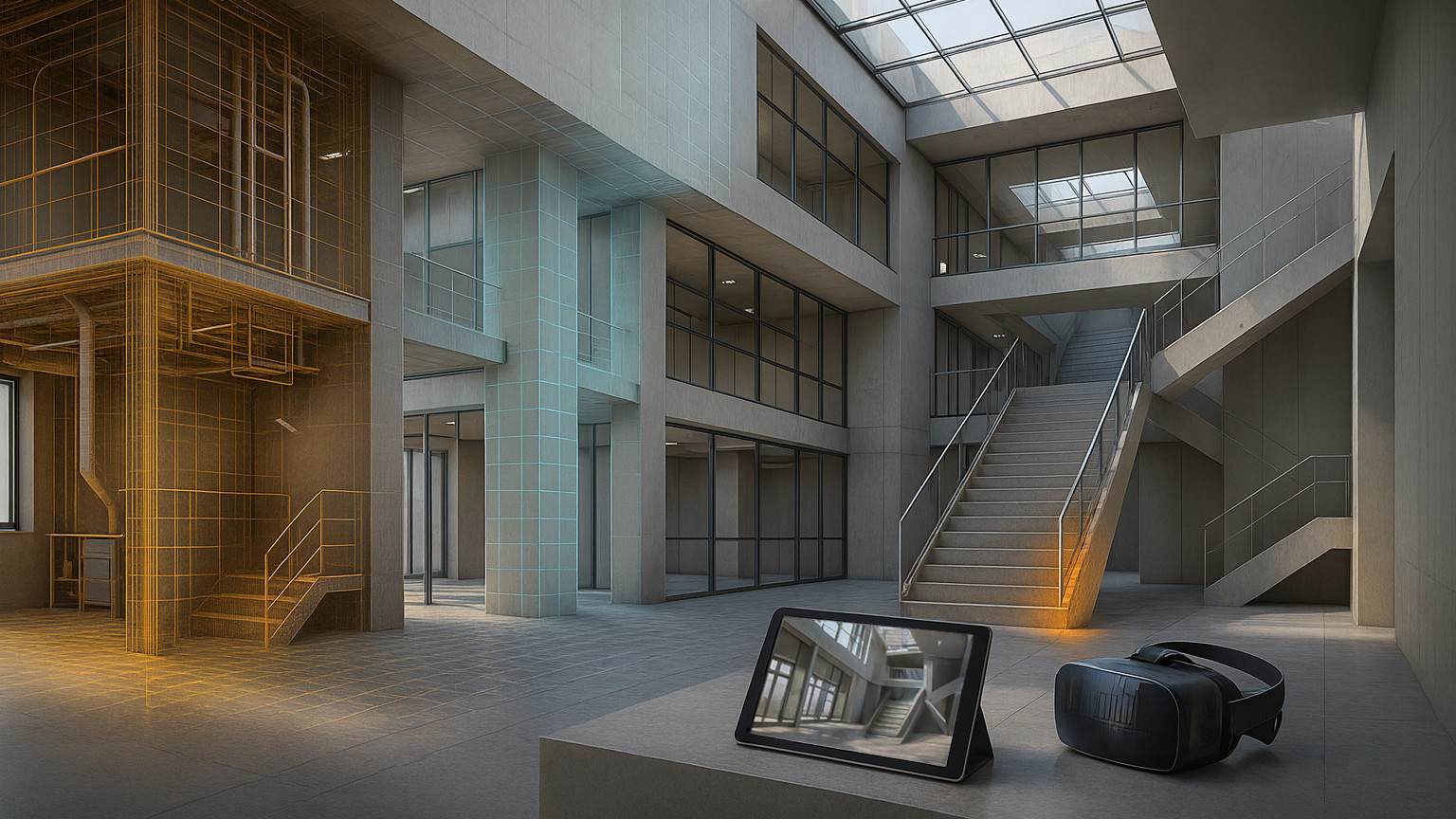
Lean Models, Sharp Silhouettes

We treat heavy Revit and CAD exports like a diet with rules: do not draw what no one will ever see, then simplify what remains, then rebuild the mesh where quality matters. Stripping hidden internals — fasteners, nested hardware, back-to-back layers, buried MEP — usually removes more triangles than any clever decimator. After that, we pick reduction strategies by part: feature-aware edge collapses preserve crisp corners and stair profiles; fast vertex clustering handles distant or noisy sets; isotropic remeshing rebuilds organic terrain into clean, evenly shaped triangles that shade well and compress better. The result is not a single “lite” file but a family of Level-of-Detail variants that swap based on distance or user intent, whether you are browsing on a phone or stepping through in VR.

We measure fidelity in tolerances, not marketing numbers. Typical surface deviation sits around 0.01 to 0.02 meters; walls and slabs keep planarity; screen-space error stays under a pixel at common view distances. We preserve element IDs for selection and metadata, repair topology as needed, and lean on instancing plus geometry compression to chop download sizes. In a recent exhibit-scale renovation, internal culling alone cut triangles by more than two thirds; targeted simplification and compression then carried the model into smooth, responsive territory on mid-range devices without sandblasting the architecture.

We will admit the rough edges. Extreme reductions can force UV repacks and lightmap rebakes; curtain wall mullions sometimes need custom locks to avoid “bitten” corners; metadata tagging in the source model can make or break automation. Still, the pattern holds: elimination first, tolerance-driven decimation second, remeshing where it pays off. If you care about keeping silhouettes and measurements honest while making BIM genuinely portable, this pipeline turns dense authoring geometry into lightweight, web-ready scenes that feel faithful rather than flattened.

Common Questions

Q: How do we decide between eliminating geometry, decimating, or remeshing? A: We start by stripping anything users will never see — hidden internals, back-to-back layers, buried MEP. Then we apply decimation tuned to the part: feature-aware edge collapses on architectural elements, faster clustering on distant or noisy sets. Remeshing comes last and only where cleaner topology materially improves shading or compression.

Q: What tolerances keep design intent intact without over-engineering? A: We work to about 0.01–0.02 m surface deviation, keep walls and slabs planar, and aim for under one screen-pixel of silhouette drift at typical distances. For a quick guardrail we sample points and estimate a Hausdorff-style error: sample_error = max over samples of the nearest-surface distance to the original. It’s pragmatic and easy to explain to stakeholders.

Q: How do we stop crisp corners and mullions from getting “mushy”? A: We lock high-dihedral edges, respect borders, and bias collapse costs by BIM category so trims and mullions resist simplification. Planarity guards keep large faces from bowing. It’s slower than one-click, but the corners stay honest.

Q: What happens to UVs and lightmaps when meshes change a lot? A: At moderate reductions we keep existing UVs and bake stability holds. When targets are aggressive, we usually repack and rebake to avoid stretching and seam creep; we flag this early so teams can budget time for it. It’s one of the few trade-offs we still negotiate project by project.

Q: Can we preserve BIM metadata and selection after simplification? A: Yes — we maintain a mapping from triangle ranges back to element IDs and carry instancing for repeated families. That keeps tooltips, selection, and parameter queries intact even when topology changes. It also helps analytics and QA because issues remain traceable to source elements.

Q: Why not rely entirely on off-the-shelf simplifiers? A: We use them for the middle 80 percent because they’re fast and predictable. The last 20 percent — room-aware culling, category-driven edge locks, and planarity rules — benefits from small custom adapters. That’s where a from-scratch step or two quietly prevents the “melted LEGO” look.

Q: How do we plan LODs for web and VR/AR without confusing content teams? A: We ship a small family: an exterior overview, a room-tour level, and a close-up level for equipment. Swaps are driven by distance and user intent rather than a single “lite” file, so visuals stay sharp where the eye is, and payload stays light elsewhere. The same policy works across browser and headset.
Contact Elf.3D to explore how custom mesh processing algorithms might address your unique challenges. We approach every conversation with curiosity about your specific needs rather than generic solutions.

*Interested in discussing your mesh processing challenges? We'd be happy to explore possibilities together.*

Geometry Decimation & Optimization: turning heavy BIM into web-friendly 3D

We keep running into the same problem on BIM projects: beautiful, information-rich Revit or CAD models that simply won’t move on a phone, browser, or headset. Millions of polygons, nested families, hidden guts you’ll never see in a walkthrough — everything the authoring tool needs, but overkill for interactive delivery. This piece compares practical algorithms for polygon reduction, shares what’s worked (and what still trips us up), and shows how a modern pipeline can make BIM data dramatically more accessible.

First principles: decimation, remeshing, and “don’t draw what no one sees”

Before arguing algorithms, we separate three levers:

  1. Decimation: reduce triangles while keeping the surface.
  2. Remeshing: rebuild topology for better triangle quality or uniform density.
  3. Elimination: remove geometry that won’t contribute to the view (internal parts, back-to-back faces, tiny fixtures).

That third lever is often the biggest win. By removing unnecessary interior detail (ducts inside closed shafts, screws inside beams, back-to-back drywall sheets), we regularly cut the poly count far more than decimation alone and create clean Level-of-Detail variants for web or mobile viewing. LOD then becomes a policy, not a single number.

What actually works: a comparison of algorithms

We lean on a small toolkit; none of it is exotic, but choosing the right tool for the right region of the model is where most of the gains come from.

1. Vertex clustering (grid collapse)

A voxel grid is laid over the model; all vertices in a cell collapse to one representative. It’s near-linear time, extremely predictable, and a great first pass.

  • How we set it: cell_size = k times target screen pixel size mapped to world units.
  • Pros: very fast; great for far LODs and noisy scan meshes.
  • Cons: blurs features; can shear silhouettes; UVs suffer.
  • When we use it: vegetation, furniture far LOD, rough MEP in distant floors.

2. Edge collapse with quadric error metrics (QEM)

The classic workhorse. For an edge v1–v2, cost = error(v1) + error(v2), where error(v) is the sum over incident face planes of (n dot v + d)^2. We constrain borders, hard edges, and any curve tags from BIM to avoid chewing through sharp profiles.

  • Pros: preserves shape well at moderate reductions; controllable with constraints.
  • Cons: still can over-smooth architectural edges without feature locks; needs good normal hygiene.
  • When we use it: facades, stairs, structure — anywhere silhouettes matter.

3. Feature-aware collapse

A QEM variant with extra guards: lock edges with dihedral angle above a threshold; keep planarity for wall faces; protect small radii. We also bias costs by semantic class (e.g., “window mullions lose less than walls”).

  • Pros: keeps crisp architecture; reduces artifacts on corners and reveals.
  • Cons: slower; more parameters; sometimes stalls around protected features.
  • When we use it: curtain walls, mullions, trim, railings.

4. Isotropic remeshing

We resample to target edge length using uniform sampling and tangential relaxation. The result is near-equilateral triangles, which shade beautifully and compress well.

  • Pros: consistent topology; fewer slivers; good for bake-and-go assets.
  • Cons: moves vertices; not great when exact edges or dimensions must remain; can upset UVs.
  • When we use it: organic site elements, landscape meshes, freeform roofs.

A tiny cheat-sheet we share internally:

Algorithm Strength Use when Common pitfall
Vertex clustering Speed Distant or noisy parts Blurred silhouettes
QEM collapse Shape fidelity Most building elements Rounded corners
Feature-aware QEM Crisp edges Curtain walls, trim More tuning required
Isotropic remeshing Clean topology Organic or site pieces Moves design edges

The unglamorous hero: removing internal geometry

We’ve learned to start with elimination. Three tactics help:

  • Shell extraction: trace rays from a padded bounding box; keep the first hit along many directions; flood-fill exterior shells. It quickly identifies “outside” surfaces that truly contribute to views.
  • Space-driven culling: use BIM Rooms/Spaces; if an object is fully contained in a sealed room that is never entered in the viewer, cull it for exterior LODs.
  • Semantic rules: some families (fasteners, hangers, nested hardware) are simply too small to matter at typical web zoom — remove by category and bounding size.

In one recent job for a tiny facilities team (two people, municipal budget), this alone dropped triangles by 72 percent before any decimation. We then applied different strategies per class: feature-aware QEM for facade and stairs, vertex clustering for distant MEP, and isotropic remeshing on terrain.

Tolerances that BIM folks can live with

We don’t argue about “percent reduction” anymore; we talk tolerances in model units:

  • Absolute surface tolerance: max distance between original and simplified points, e.g., 0.01 m for interiors, 0.02 m for exteriors.
  • Relative screen tolerance: at typical viewing distances, silhouette shift under one pixel.
  • Planarity constraint: wall and slab faces remain planar within 0.001 m.
  • Hausdorff by sampling: for each decimated triangle set, sample k points; error = max over samples of nearest-surface distance. We set k based on triangle area so tiny parts don’t get undersampled.

Small formula we rely on:

sample_error = max over p in samples of min over q in original of length(p - q)

Not perfect, but fast to compute and easy to explain to stakeholders.

Tools that help (and where they fall short)

Automating this isn’t about one silver bullet; it’s a gaited pipeline. We routinely combine:

  • Remeshing/simplification libs: QEM implementations, isotropic remeshing, curvature tagging.
  • Normal and UV utilities: to rebuild smoothing groups and repack UVs after topology changes.
  • Mesh repair: hole fill, self-intersection repair, non-manifold fixers.
  • Compression and formats: glTF with geometry compression, plus instancing detection to deduplicate repeated families.

Commercial tools can speed up the middle 80 percent and are great for one-click previews. Our experience, though, is that the last 20 percent — BIM semantics mapping, edge locking by category, floor-aware culling — benefits from custom code. We’ve had to write small adapters that look at element metadata and steer the simplifier; generic frameworks don’t know enough about how architects expect a corner to look.

We’ll be candid: automated UV preservation during heavy decimation is still our soft spot. We can maintain lightmaps and native UVs under moderate reduction, but extreme targets sometimes require a repack and a rebake. We try to flag that early.

A tiny case study with real numbers

A niche client — an exhibit designer preparing a web viewer for a library renovation — handed us a Revit export with detailed MEP and furniture, 34.2 million triangles after tessellation. Their goal: smooth viewing on a mid-range tablet and a desktop browser.

Pipeline overview

  1. Classify by BIM category; cull internals by room-aware rules.
  2. Exterior shells identified via multi-direction ray sampling.
  3. Feature-aware QEM on facade and stair assemblies; clustering on distant MEP; isotropic remesh on terrain.
  4. Vertex cache optimization and geometry compression; instance detection for repeated families.

Results

Stage Triangles Median FPS (tablet)
Raw export 34.2 M 9
After internal elimination 9.6 M 21
After targeted decimation 2.1 M 43
With compression + instancing 2.1 M 58

We didn’t win everywhere. Curtain wall corners needed a custom rule to keep mullion continuity; the generic simplifier kept “biting” into the reveal. Also, a few fixtures were incorrectly tagged and got culled; we restored them by whitelisting families by name and min dimension. Still, the team shipped a responsive viewer without hiding important design intent.

What to optimize for (and what to accept)

  • Prioritize silhouettes and edges. If a change is invisible in the silhouette, it’s almost always a safe win.
  • Protect measurement-critical faces. Walls, slabs, stair risers: lock planarity and borders.
  • Treat LOD as a family, not a file. LOD0 for exterior overview, LOD1 for room tours, LOD2 for equipment close-ups. Swap on distance or user intent.
  • Keep IDs. We map triangle ranges back to element IDs so selection and metadata still work after decimation.
  • Know when not to decimate. Logos, signage, and a handful of hero assets are better left intact.

Why build parts of this from scratch

We try the shelf first; it’s fast. But unconventional BIM challenges — protecting crisp profiles, reading room boundaries, steering simplification by category — often need domain-aware logic. Our small, purpose-built steps (edge locks, room-aware culling, planarity guards) let us hit tight budgets without the “melted LEGO” look. The trade-off is more engineering upfront and more time spent validating tolerances with stakeholders. We think that’s a fair compromise for interactive BIM that feels right.

If you’re a BIM specialist or a potential client stuck with a heavy model, the takeaway is simple: combine elimination, the right decimator per part, and tolerance-driven LODs. The measurable gains — load time, frame rate, and fewer “why is that corner mushy?” comments — add up quickly. And yes, there will be edge cases (literally). We’re still refining our UV story at extreme reductions, and we’re always tuning heuristics around curtain walls and railings. But the path to fast, faithful, web-friendly BIM is well-lit now, and it starts with not drawing what no one will ever see.